SearchLane
H1 Tag and Heading Structure: One H1 or More? (+ Best Tips from Reddit)
What the H1 tag does for SEO, whether two H1s hurt, how to order H2–H6, and which Reddit tips about headings hold up.
Give every page one H1 that says what the page is about, then use H2 for its sections and H3 inside them without skipping levels. Google says several H1s won't hurt you, so a second one is not an emergency. But one clear H1 is the simplest signal of the page's topic for readers, screen readers, search engines and AI tools, and it's the one Google can fall back on when it rewrites your title in search results.
What is an H1 tag, and what are H2 and H3?
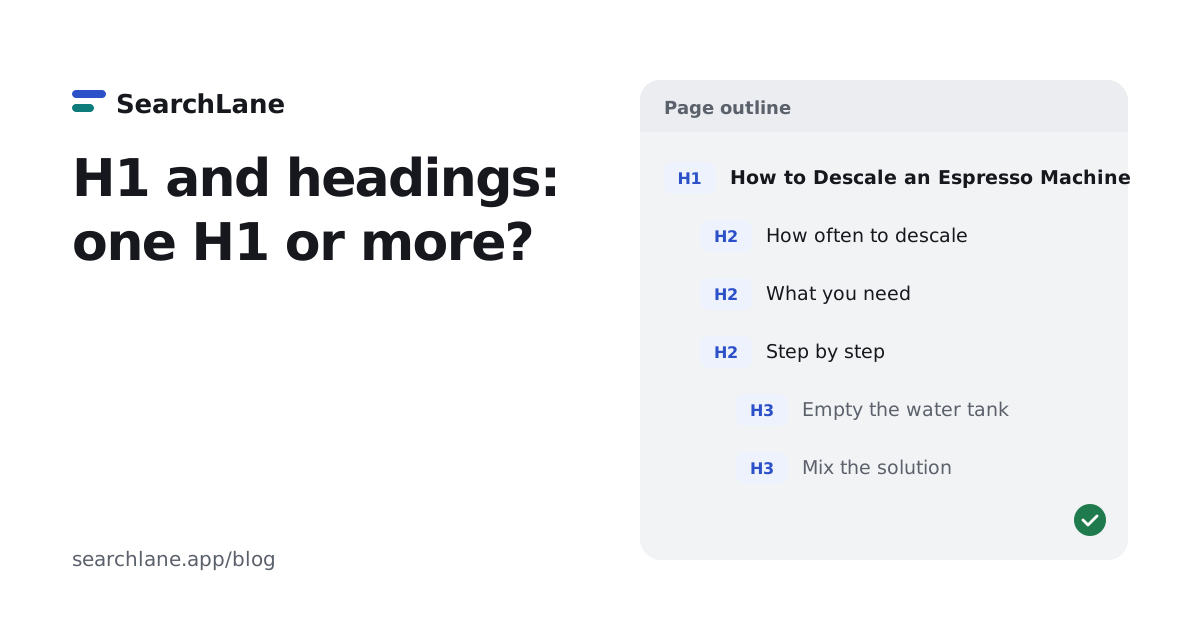
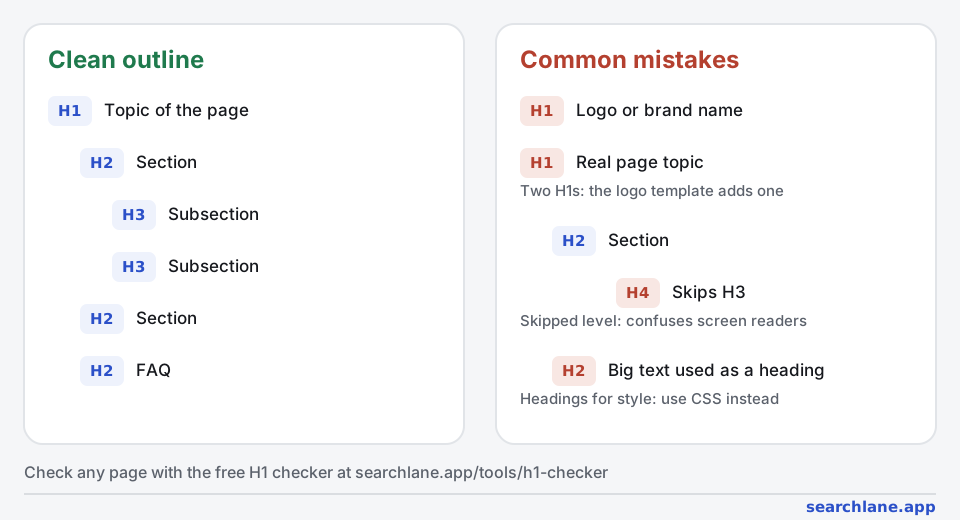
The H1 is the top-level heading of a page, the <h1> element in HTML. On an article it's usually the headline, on a product page the product name, on a category page the name of the category. H2 to H6 are subheadings, each one level deeper:
<h1>How to Descale an Espresso Machine</h1>
  <h2>How often should you descale?</h2>
  <h2>What you need</h2>
  <h2>Step-by-step</h2>
    <h3>1. Empty the water tank</h3>
    <h3>2. Mix the descaling solution</h3>
  <h2>FAQ</h2>
Is the H1 the same as the title tag?
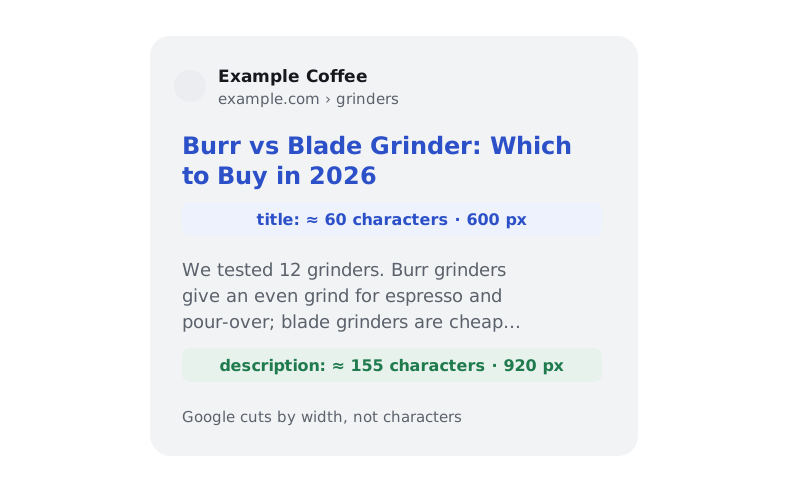
No, they're different elements. The title tag goes in the page's <head> and is shown in search results and on the browser tab. The H1 is shown on the page itself. They should describe the same topic, but they don't have to match word for word: the title is often shorter and ends with the brand, while the H1 can be the more natural headline. Many CMSs, including WordPress, turn the post title into both, but not every theme does.
Is the H1 tag important for SEO?
It helps, but it's not a strong ranking lever. Google's SEO Starter Guide treats headings as a way to make a page easy to read and notes that semantic order is great for screen readers, but that from Google Search's perspective it doesn't matter if headings are out of order. Google also lists the page's main visual title and heading elements such as <h1> among the sources it uses when it writes a title link instead of your title tag. So a vague H1 can end up as your headline in search results.
What an H1 doesn't do is boost a page because it contains a keyword. Write it for the reader: if the main topic is the keyword, it will be there anyway.
Among the sites our users checked with the SearchLane audit, 5 of 14 had pages without an H1, 3 had pages with several, and 7 had pages that skip heading levels. In the extension, a missing H1 was the second most common top problem on a single page.
Is it bad to have multiple H1 tags?
Not for Google. John Mueller of Google has said publicly several times, including in Google's own Search Central videos, that multiple H1s are fine and that Google's systems handle them. HTML allows them too.
Still, use one by default. MDN, the reference for web developers, advises a single <h1> per page, because screen readers use it to tell people what the page is about. The idea that HTML5 "encourages" an H1 in every section came from the document outline algorithm, which browsers and screen readers never implemented and the HTML standard has since dropped. In practice, a second H1 is usually a template mistake: a logo wrapped in <h1> on every page, or a heading duplicated for mobile and desktop.
How to structure H2–H6 headings
- One H1 at the top with the page's topic, close in meaning to the title tag.
- H2 for each main section. On an article, these are the questions or steps the reader came for.
- H3 for subsections of an H2, H4 only inside an H3. Don't jump from H2 to H4: Google doesn't mind, but the W3C accessibility tutorial says skipped levels confuse people who navigate by headings.
- Headings label content, they don't style it. If a line should look big but isn't a section title, use CSS. A page made mostly of headings has no clear structure at all.
- Make headings say what's below them. "Step 2: Mix the descaling solution" helps a reader skim; "Next" doesn't. A heading phrased as the question a section answers also makes the answer easy to find for readers and AI tools.
How to check and fix your H1 and headings
- See the outline. The H1 checker shows every H1–H6 of a page as an indented outline and flags a missing or duplicate H1, empty headings and skipped levels. The Website SEO Checker extension does the same on any open page, and the site audit checks every page of the site.
- Find where the H1 comes from. In WordPress, right-click the page title and choose Inspect: if it's an
<h2>or the logo is the<h1>, the fix is in the theme's template, not in each post. Builders like Elementor let you set the heading level of each widget. - Fix the template, not the page. One change in the post or product template fixes every page built from it.
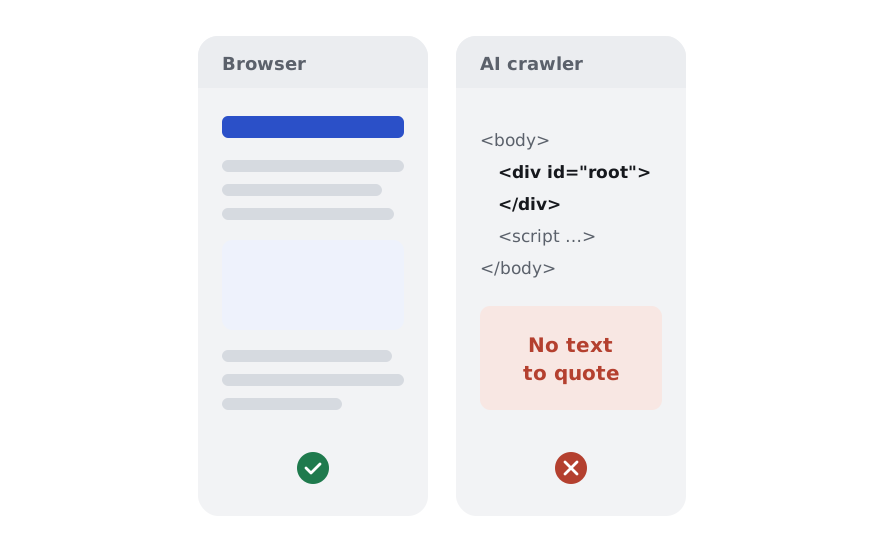
- Check the headings are in the HTML. If headings appear only after JavaScript runs, AI crawlers don't see them: see JavaScript SEO.
- Change an H1 whenever a better one describes the page. It's safe, as long as your CMS doesn't change the URL along with it.
Best tips from Reddit: what 6 threads say (and what's a myth)
We read six Reddit threads about H1s and headings with 66 comments. Two camps split almost evenly: 9 comments said "use exactly one H1", 8 said several are fine. Both are right about different things, and the rest of the advice was mostly about WordPress themes. These threads are older (2017–2022), but Google's position and the HTML rules haven't changed since, which is why we checked each tip against today's documentation.
| Tip from Reddit | Comments | Our verdict |
|---|---|---|
| Use one H1 per page | 9 | ✅ The safe default: clear for readers, screen readers and search engines |
| Multiple H1s are fine, Google confirmed it | 8 | ✅ True for Google. ❌ The "HTML5 encourages multiple H1s" part is outdated |
| WordPress may or may not use the post title as the H1: check your theme | 8 | ✅ True. Some themes use H2, others wrap the logo in an H1 |
| Put your main keyword in the H1 | 6 | ⚠️ Fine if it's natural; there's no evidence of a ranking boost from the keyword itself |
| Use H2, H3 and so on in order below the H1 | 6 | ✅ True for readers: skipped levels confuse screen reader users. Google itself doesn't mind the order |
| H1s have little or no effect on rankings | 5 | ⚠️ Mostly true for rankings, but Google uses the H1 when it rewrites the title |
| The H1 should describe the page, not repeat the brand name on every page | 4 | ✅ True |
| You can change an H1 any time | 4 | ✅ True; just keep the URL the same |
| Use headings for accessibility and structure, not for SEO | 3 | ✅ True |
| Don't turn whole paragraphs into headings | 1 | ✅ True |
One H1 or several?
The top comment in "2 H1 tags in one page!? Does it help?" (26 upvotes) was: "My advice is to only have one h1 on every page, if you have 2 sub headings, make them h2s" (r/SEO). Other replies in the same thread said two H1s are "totally fine" and that Google's John Mueller confirmed it. Both camps are right: Google handles several H1s, and one is still the clearer choice.
Where Reddit goes wrong is the claim that "since HTML5 using multiple h1 tags… you are even encouraged" to. That advice came from the HTML5 outline algorithm, which was never implemented and has been removed from the standard. MDN now recommends one H1. Another commenter hid separate H1s for mobile, tablet and desktop in a page builder. It works, but one H1 styled with CSS is simpler and avoids duplicate headings in the HTML.
Does WordPress use the post title as the H1?
In "In WordPress, Are the Title and H1 are the same?" a link-building specialist's boss said articles don't need an H1 because the title is the H1. The answers were clear: it depends on the theme. "Visit webpage, highlight title in a WordPress post, right click, Inspect. You can see it is indeed the H1" (r/SEO), while others had themes that use an H2 for the title. The same thread caught a structure mistake: the conclusion was an H4. "The conclusion would be an H2. H3 and H4 are subheadings."
Do keywords in the H1 matter?
Six comments advised putting the main keyword in the H1, some in strong terms ("without h1 tag never increase your website rank"). Five said H1s have little effect on rankings. The most useful answer came from r/bigseo: headings "should be driven primarily by an intent to create accessible, well structured code, not SEO… If your primary keywords make sense in them, great! But don't artificially insert them hoping for rankings gains" (r/bigseo). That matches Google's guidance: headings are for structure, and a descriptive H1 naturally contains the topic.
The same thread answered a small-business owner who wanted the company name as the H1 on every page. Four replies said no: the H1 of the contact page can simply be "Contact us", and the brand on every H1 looks like keyword stuffing.
Can you change an H1 after launch?
Yes. "There are no rules about changing h1 titles of the page… If the new h1 describes the page and the content better, of course you should change it" (r/SEO). The useful warning from that thread: in some CMSs, changing the title also changes the URL. If it does, set up a redirect from the old URL. One reply suggested resubmitting the sitemap after changing an H1. That isn't needed: Google picks up the change on its next crawl.
How we counted
- Threads: 2 H1 tags in one page!? Does it help? (r/SEO, February 2020, 17 comments), In WordPress, Are the Title and H1 are the same? (r/SEO, July 2022, 18), Are H1 keywords important? (r/SEO, January 2018, 14), Best Practices for H1 Tags? (r/bigseo, July 2017, 9), Should you Change H1 Tag? (r/SEO, April 2022, 6), Can you have too many headings? (r/SEO, June 2022, 2).
- We found the threads through Google results for H1 and heading questions and read the pages saved on November 8, 2026: 66 comments after removing one duplicate.
- A comment counts toward a tip if it states that tip. One comment can count toward several. Jokes are counted only if they make a point.
- Every tip was checked against Google's documentation, MDN and the W3C accessibility tutorial. Six threads show what practitioners repeat, not how all site owners work.
FAQ
How many H1 tags should a page have?
One. Google can handle several H1s without any penalty, but a single H1 states the page's topic most clearly for readers, screen readers and search engines. A second H1 is often a template mistake, such as a logo wrapped in an H1.
Should the H1 be the same as the title tag?
They should be about the same topic but don't have to match. The title tag is written for search results and the browser tab, often with the brand at the end. The H1 is the headline readers see on the page, so it can be longer or more natural.
Can I skip heading levels, like H2 to H4?
Avoid it. Skipped levels don't cause a Google penalty, but they break the outline that screen reader users navigate by. Use H3 directly under H2 and H4 only inside an H3. If you want a smaller-looking heading, change its style with CSS.
Does the H1 need to include the keyword?
Not by rule. Write an H1 that says what the page is about; if the page targets a keyword, it will usually appear naturally. There's no evidence that adding a keyword to the H1 alone improves rankings, and repeating it in every heading looks like stuffing.
How many H2 headings can a page have?
As many as it has main sections. There's no limit and no ideal number: a short page may need two H2s, a long guide fifteen. Use an H2 wherever a new section starts and an H3 for parts inside it.
What does Reddit say about multiple H1 tags?
In six Reddit threads with 66 comments, 9 comments recommended exactly one H1 per page and 8 said several are fine, citing Google. Both are right: Google handles multiple H1s, but one is the clearer, more accessible choice.
Add SearchLane as a preferred source on GoogleSee our new articles more often in Top Stories and Google's AI answers. How it works