SearchLane
Google Preferred Sources: What They Are and How to Get Your Site Added
Preferred Sources let readers pick sites Google shows them more often in Top Stories, AI Overviews and AI Mode. Who qualifies and how to get picked.
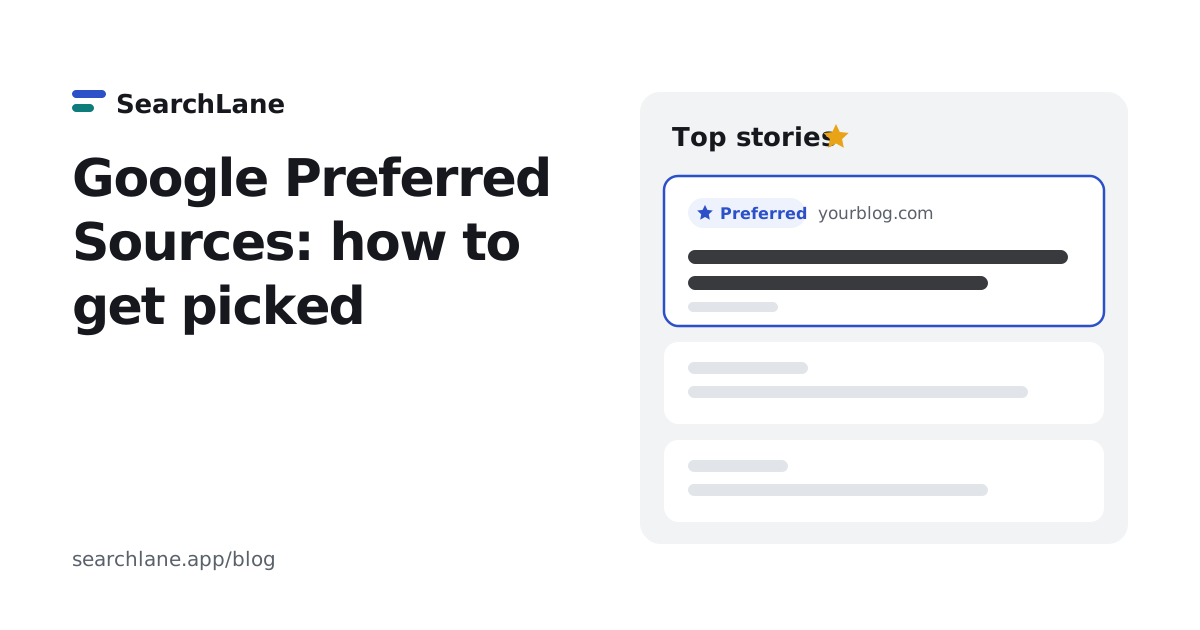
Google Preferred Sources is a Search setting where a signed-in reader picks the sites they want to see more of. Google then shows those sites to that reader more often in Top Stories, and since May 2026 marks them as "Preferred" in AI Overviews and AI Mode. Google doesn't grant the status to sites: readers do, one at a time. A site owner's job is to be eligible and to ask readers to pick it, with a link or Google's button.
Google says readers are twice as likely to click through to a site after they mark it as a preferred source. Below: how it works, which sites qualify, how to add the link or button, and what it doesn't do.
What are Google Preferred Sources?
Preferred Sources is a personalization setting in Google Search. A reader chooses sites or creators in their source preferences, and Google gives those sources more room in that reader's results. The setting is tied to the reader's Google account, so it follows them across devices.
Where it shows up, according to Google's guide for publishers and its announcements:
| Where | What changes for the reader |
|---|---|
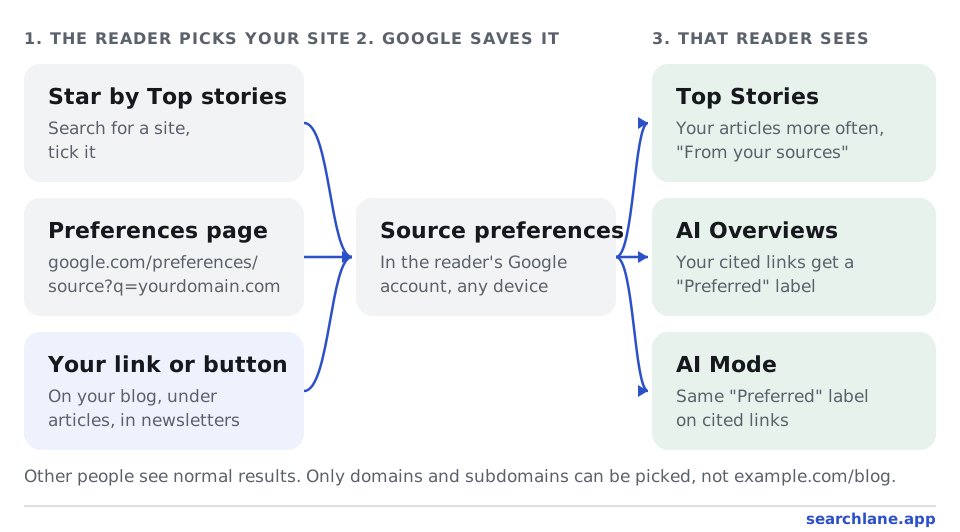
| Top Stories | Preferred sites appear more often, and a "From your sources" section can appear |
| AI Overviews (since May 27, 2026) | Links to preferred sites get a "Preferred" label |
| AI Mode (since May 27, 2026) | Same "Preferred" label on cited links |
It doesn't change results for anyone else. If 500 people pick your site, those 500 people see more of it. Everyone else sees normal results.
The feature grew in steps. It launched in the US and India in August 2025, reached all English-speaking countries in December 2025 and all supported languages on April 30, 2026. Readers had picked about 200,000 unique sources by April, 345,000 by late May and more than 600,000 by August 20, 2026, when Google released the embeddable button.
How does a reader add a preferred source?
There are three ways in, and all of them need the reader to be signed in to Google:
- The star next to Top Stories. On a news-style results page, the reader taps the star icon beside the "Top stories" heading, searches for a site and ticks it.
- The source preferences page. The reader opens google.com/preferences/source, types a site name and ticks it. Any number of sites can be selected.
- A link or button on your site. Your link opens that same page with your site already filled in. Google's button goes further: one click adds your site and sends the reader back to the page they were reading.
Which sites can become a preferred source?
Only domains and subdomains qualify. Google's guide gives the examples: www.example.com and code.example.com are eligible, www.example.com/blog is not. If your blog sits in a subfolder, readers will find and pick your whole domain, which is fine. You just can't promote the blog section on its own.
Google decides which sites appear in the source preferences tool, and you can't apply to be listed. In practice that means sites that publish timely articles and show up in Top Stories: news sites, but also blogs and company publications that write about what's happening in their field. A product site without articles has little to gain here, because the boost only works where Google shows articles.
Before you put a link on your site, check that it works. Open https://www.google.com/preferences/source?q=yourdomain.com while signed in. If your site appears in the list, readers can pick it. If it doesn't, the link leads them to an empty search, so leave it off for now and keep publishing.
How do you add the "Add as a preferred source" link or button?
You have two options, and both are free and optional:
| Deeplink | Google's button | |
|---|---|---|
| What it is | A normal link to google.com/preferences/source?q=yourdomain.com | A script from Google that draws the button |
| What the reader sees | Google's preferences page with your site filled in | One click adds the site, then the reader is back on your page |
| Needs JavaScript | No | Yes |
| Best for | Static sites, email newsletters, social posts | News sites and blogs with a lot of returning readers |
The deeplink is one line of HTML:
<a href="https://www.google.com/preferences/source?q=yourdomain.com">
  Add us as a preferred source on Google
</a>
Replace yourdomain.com with your domain, without https:// and without a path. For the button, copy the current code from the Search Central guide. Google also offers ready-made button images in 16 languages there. Google changed the button in August 2026, so copy the code from the guide rather than from older articles.
Where to put it:
- At the top of your blog or news section, next to the subscribe link.
- Under each article, where readers who liked it decide what to do next. That's where we put ours on searchlane.app/blog.
- In your newsletter and social posts, with one sentence about what readers get: your new articles more often in their Google results.
Do preferred sources help SEO and AI visibility?
Yes, but only with the readers who pick you. Being a preferred source isn't a ranking factor for the general results. Google uses it to personalize what the reader sees, the same way it already does with a reader's language or location.
For those readers, the effect can be large. Google's number is twice the click-through rate after a reader marks a site. In AI Overviews and AI Mode, the "Preferred" label makes your link stand out among the citations. That label only appears if Google already cites your page in the answer. The setting helps a cited link get clicked. It doesn't get your page cited in the first place.
Getting cited is still a matter of content and access: pages Google can crawl and render, clear answers near the top, structured data and a site AI crawlers can read. We cover that in our GEO guide and AI SEO: what actually works. The difference between ranking, being cited and being chosen is in SEO vs GEO vs AEO.
How do you know how many readers picked your site?
Google doesn't show the number in Search Console reports, and the API doesn't return it. In October 2026, Search Console started emailing some site owners a "Preferred source selections" count, according to SEO publications. Google hasn't documented it yet, there is no history and no breakdown. If you got one, keep it and compare with the next email.
What you can measure yourself is clicks on your own link or button. Track the click as an event in your analytics (we name ours preferred_source_post and preferred_source_blog). Clicks aren't selections, because some readers close the page, but the trend shows whether the placement works.
FAQ
Is Google Preferred Sources a ranking factor?
No, not for general results. It changes only the results of the readers who picked your site: they see it more often in Top Stories, and its links in AI Overviews and AI Mode get a "Preferred" label. Everyone else sees normal results.
Can I pay or apply to become a preferred source?
No. Readers pick sources, and Google decides which sites appear in the source preferences tool. There is no application form and no paid option. Publishing timely articles that show up in Top Stories is what gets a site into the tool.
Can a blog in a subfolder be a preferred source?
No. Only a domain or a subdomain can be picked, such as example.com or blog.example.com. A section like example.com/blog can't be listed separately, so link to your whole domain.
Do I need Google's button?
No. A plain link to google.com/preferences/source with your domain in the q parameter works too and needs no JavaScript. The button saves the reader a step: it adds your site in one click and returns them to your page.
Does Preferred Sources work in AI Mode and AI Overviews?
Yes, since May 27, 2026. Links to sources the reader picked get a "Preferred" label in AI Overviews and AI Mode. Your page still has to be cited in the answer for the label to appear.
Add SearchLane as a preferred source on GoogleSee our new articles more often in Top Stories and Google's AI answers.